News
Brand pages: creators can now come to you
Brands publish a page and choose who can send requests and how they pay; creators see which brands they fit and send a request.
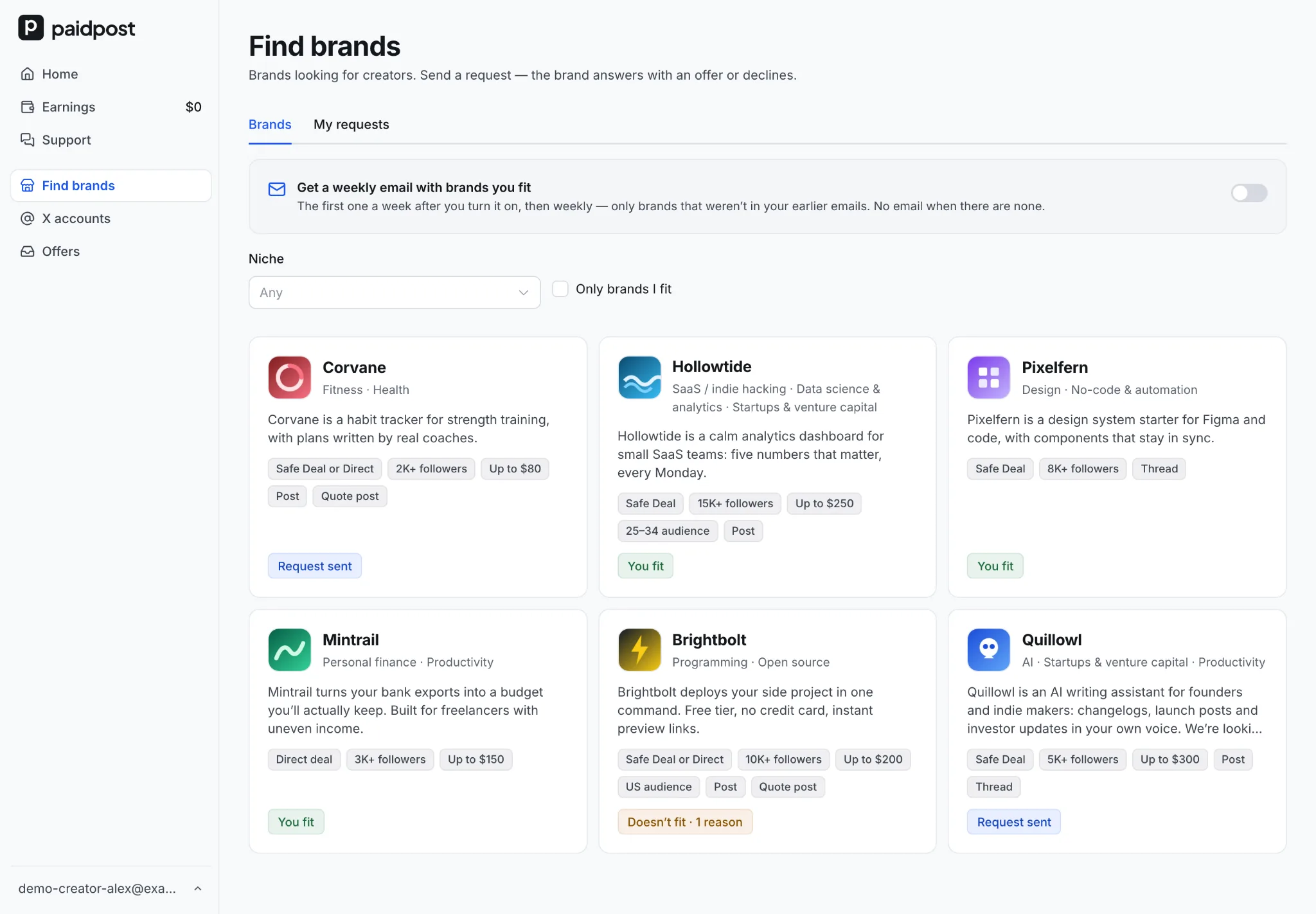
Until now, a deal on paidpost started one way: a brand found a creator in the catalog and sent an offer. Now it works the other way too. A brand publishes a page about itself, and the creators who fit send it a request.
For brands: a page for creators
Open Page for creators in the menu and fill it in:
- About your brand — name, logo, website, your X account, a short description and your niches. paidpost checks this part before creators see it.
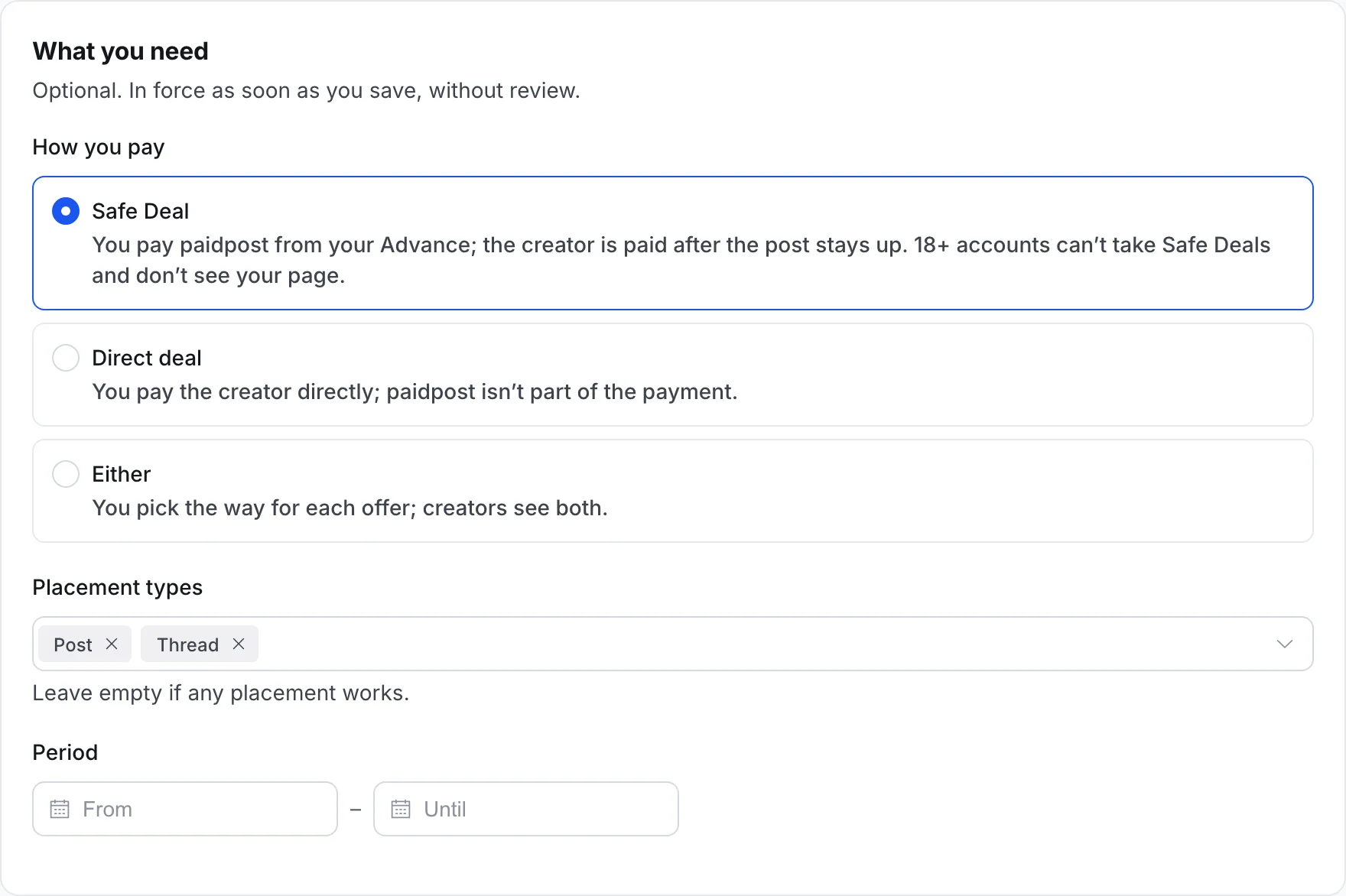
- What you need — how you pay, the placement types you want and the dates of your campaign.
- Who can send requests — followers from a minimum, your budget per placement, and the audience's country, age and gender. A creator who doesn't pass can't send a request and sees why.
Choose how you pay
Pick Safe Deal (the default), Direct deal or Either. Creators see it on your card and your page before they send anything. With Safe Deal, you pay paidpost from your Advance once the creator accepts, and paidpost pays the creator after the post stays up. 18+ accounts can't take Safe Deals, so they don't see a page that pays only this way.
Answer requests
Requests arrive in Page for creators → Requests, with the creator's card: followers, niches, audience and rating, plus the placement, the price and their message. We email you about new ones, at most once an hour.
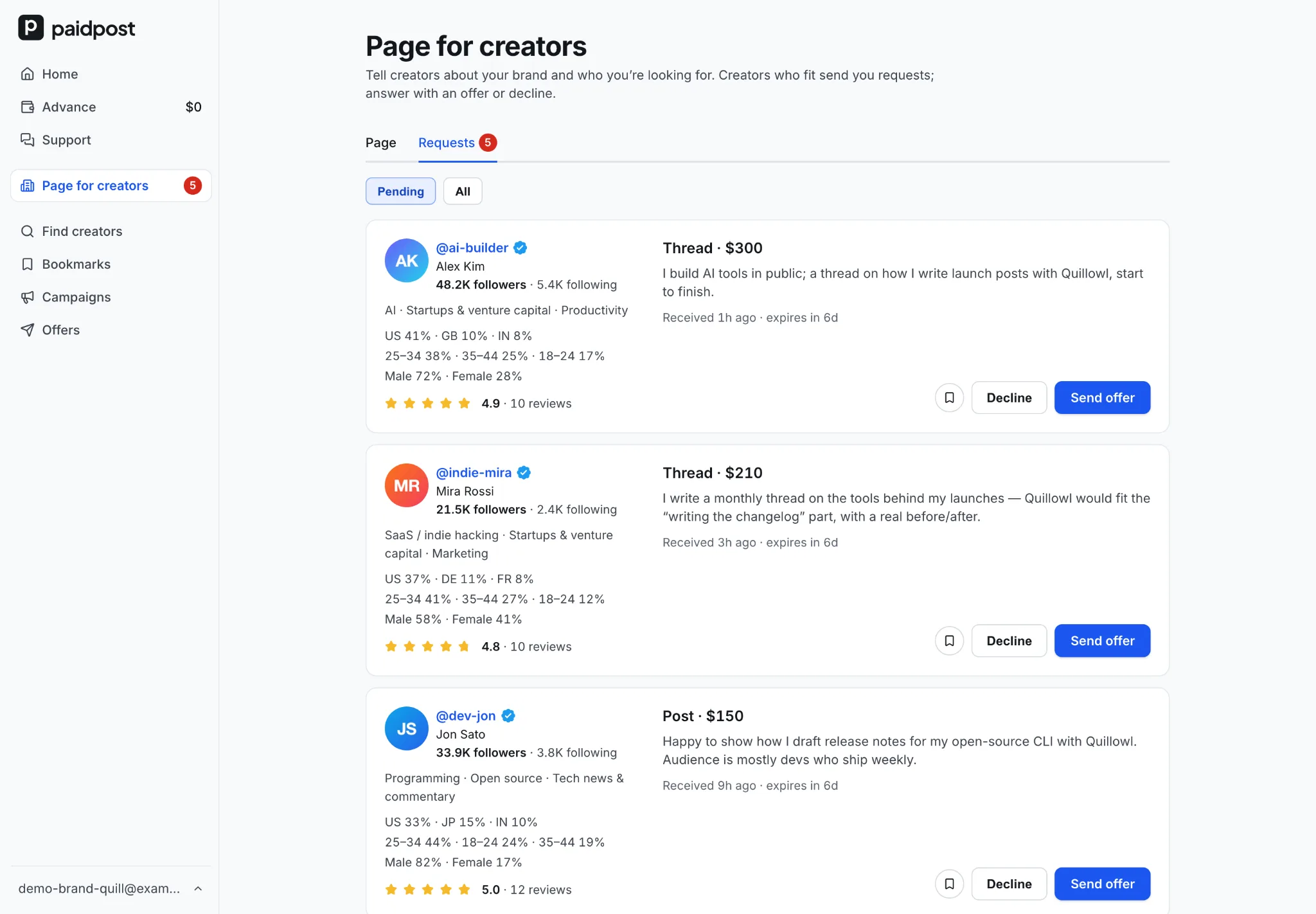
- Send offer opens the booking with the creator's placement and your way to pay already chosen. Once it's sent, you're back on your requests.
- Decline, with a reason if you like.
A request lasts 7 days. Three that expire in a row without an answer pause new requests until you turn them back on.
Your page, your requirements and the way you pay can change at any time. Two switches — Visible in Find brands and Accepting requests — apply the moment you flip them.
For creators: Find brands
Once one of your X accounts is in the catalog, Find brands shows the brands looking for creators: what they do, how they pay, and what they need. Each card tells you where you stand — You fit, Doesn't fit, or Request sent.
On a brand's page, every one of your X accounts gets its own row: Send request, or the exact reasons it doesn't fit — "Followers: 4.3K — needs 15K+".
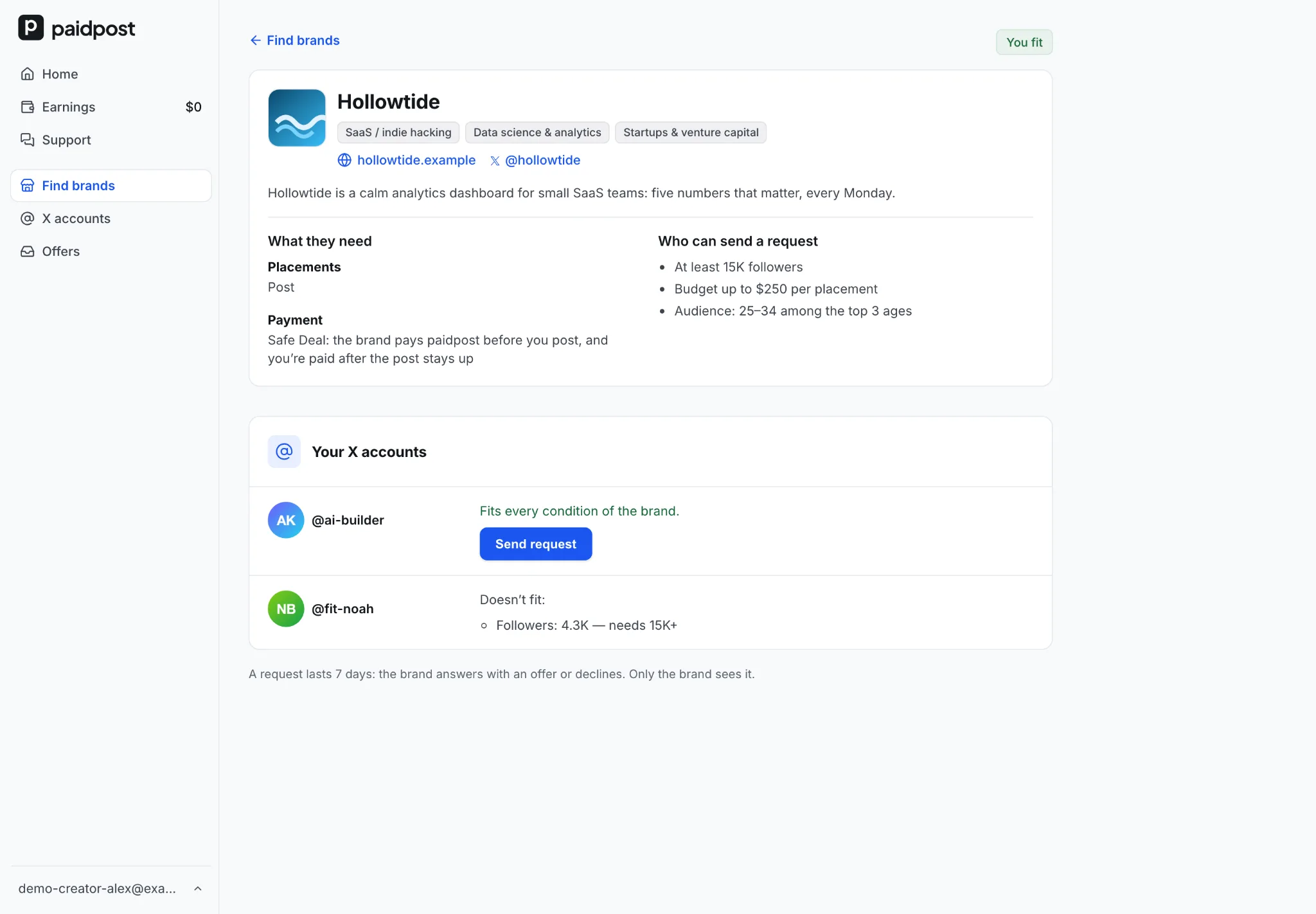
A request is short: the X account, the placement, the price — filled in from your prices, never above the brand's budget — and a message.
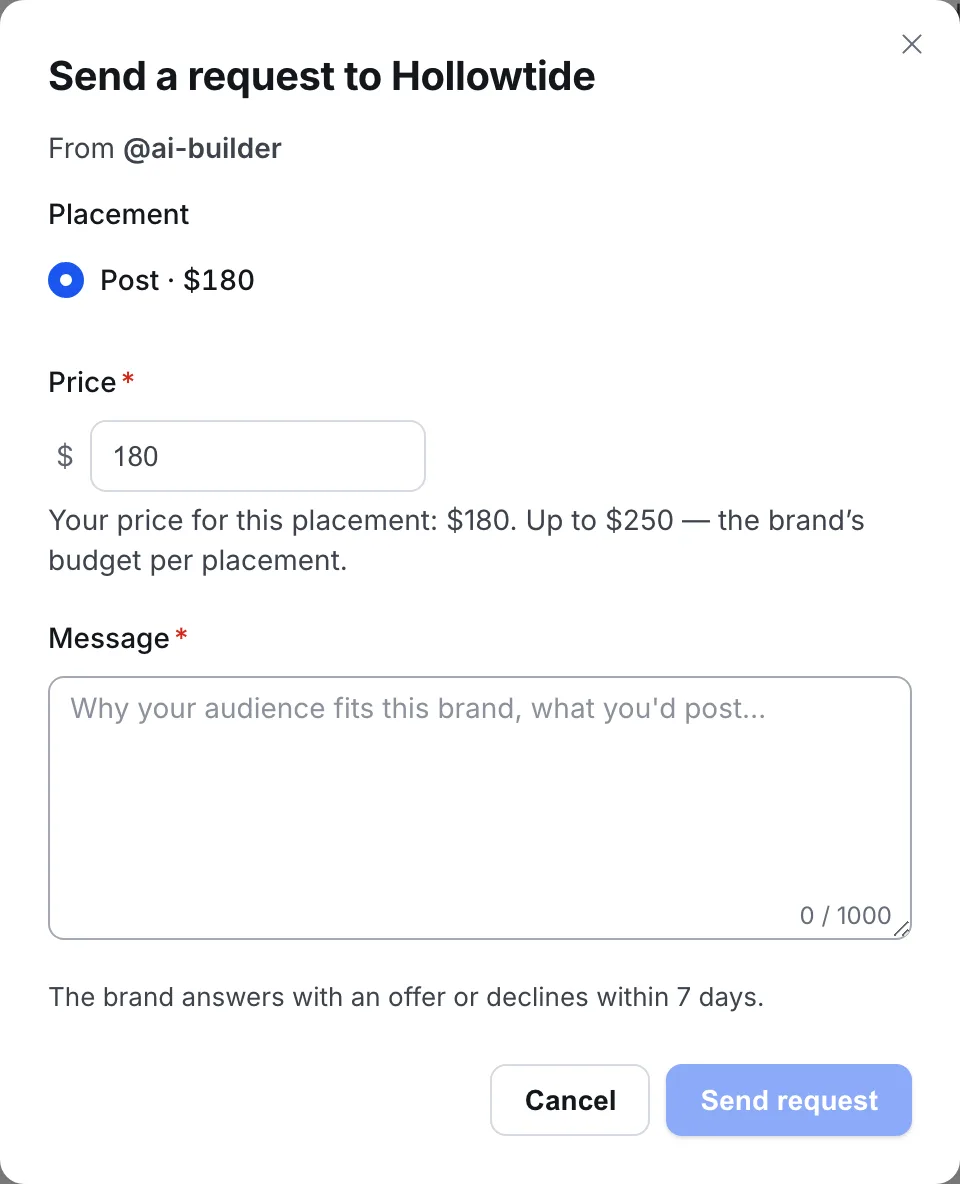
The brand answers with an offer or declines. My requests shows where each one stands. Want brands to come to you? Turn on the weekly email with new brands you fit.
Read more
- Page for creators: let creators on X come to you — for brands
- Find brands: send brands a request for a sponsored post — for creators