For brands
Page for creators: let creators on X come to you
Searching the catalog is one way to find creators. The other is to let them find you. Publish a page about your brand, say who can send you a request, and creators who fit find you in Find brands. You answer each request with an offer or decline it.
What creators see
Your page appears in Find brands, a section of the app for creators whose X accounts are in the paidpost catalog. It shows:
- About your brand — name, logo, website, your brand’s X account, a description and your niches.
- What you need — how you pay (Safe Deal, a direct deal or either), the placement types you want and the dates of your campaign.
- Who can send a request — your requirements, such as 20K+ followers, a budget per placement or a US audience.
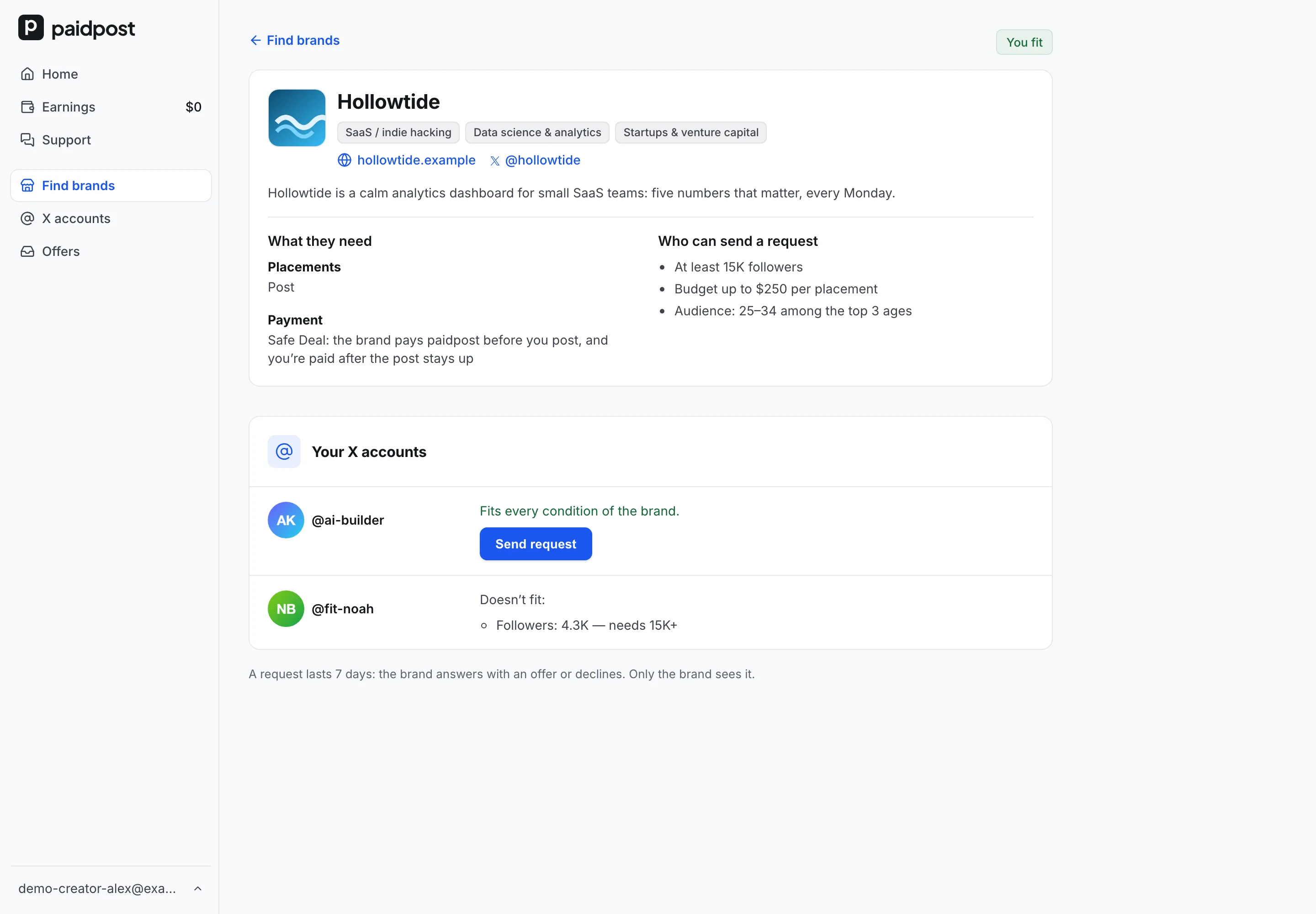
Next to your requirements, each creator sees whether each of their X accounts fits — and if it doesn’t, the exact reasons. Your page isn’t public on the web: only creators signed in to paidpost see it.
Publish your page
- Open Page for creators in the app’s menu.
- Fill in About your brand: name, logo, website, X account, description and niches.
- Choose how you pay — Safe Deal is picked for you — and, optionally, the placement types you want (leave it empty for any) and the dates.
- Set Who can send requests — see below.
- Save. Your page goes to review, and its status shows at the top of the page.
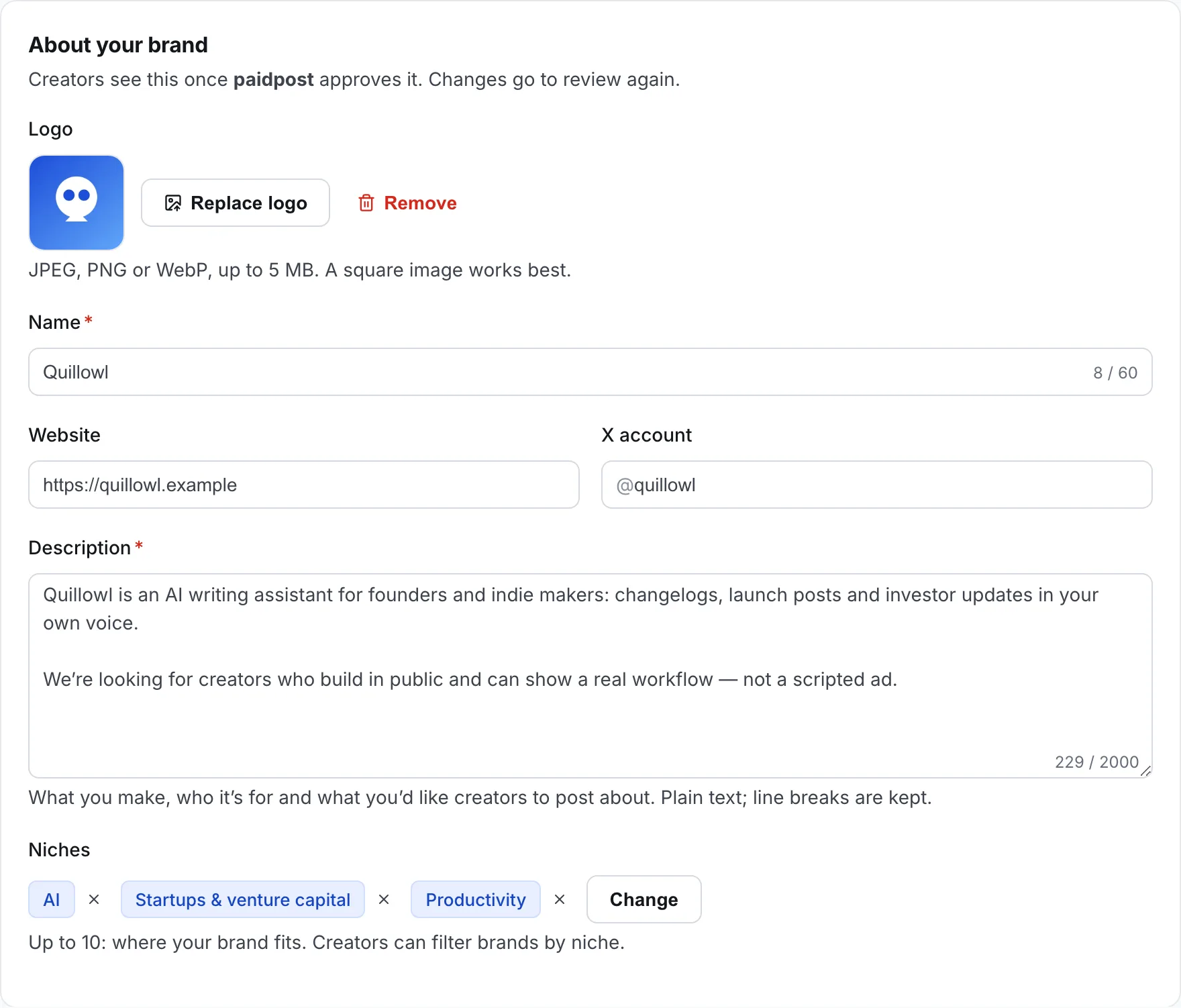
Choose how you pay
Under What you need, pick how you’ll pay the creators who answer your page. Creators see it on your card in Find brands and on your page, so they know before they send a request.
- Safe Deal — the default. You pay paidpost from your Advance once the creator accepts; paidpost pays the creator after the post stays up. 18+ accounts can’t take Safe Deals, so they don’t see your page.
- Direct deal — you pay the creator directly; paidpost isn’t part of the payment.
- Either — you choose for each offer, and creators see both.
Like the placement types and dates, the choice applies the moment you save, without a review. More on both ways: Safe Deals and direct deals.
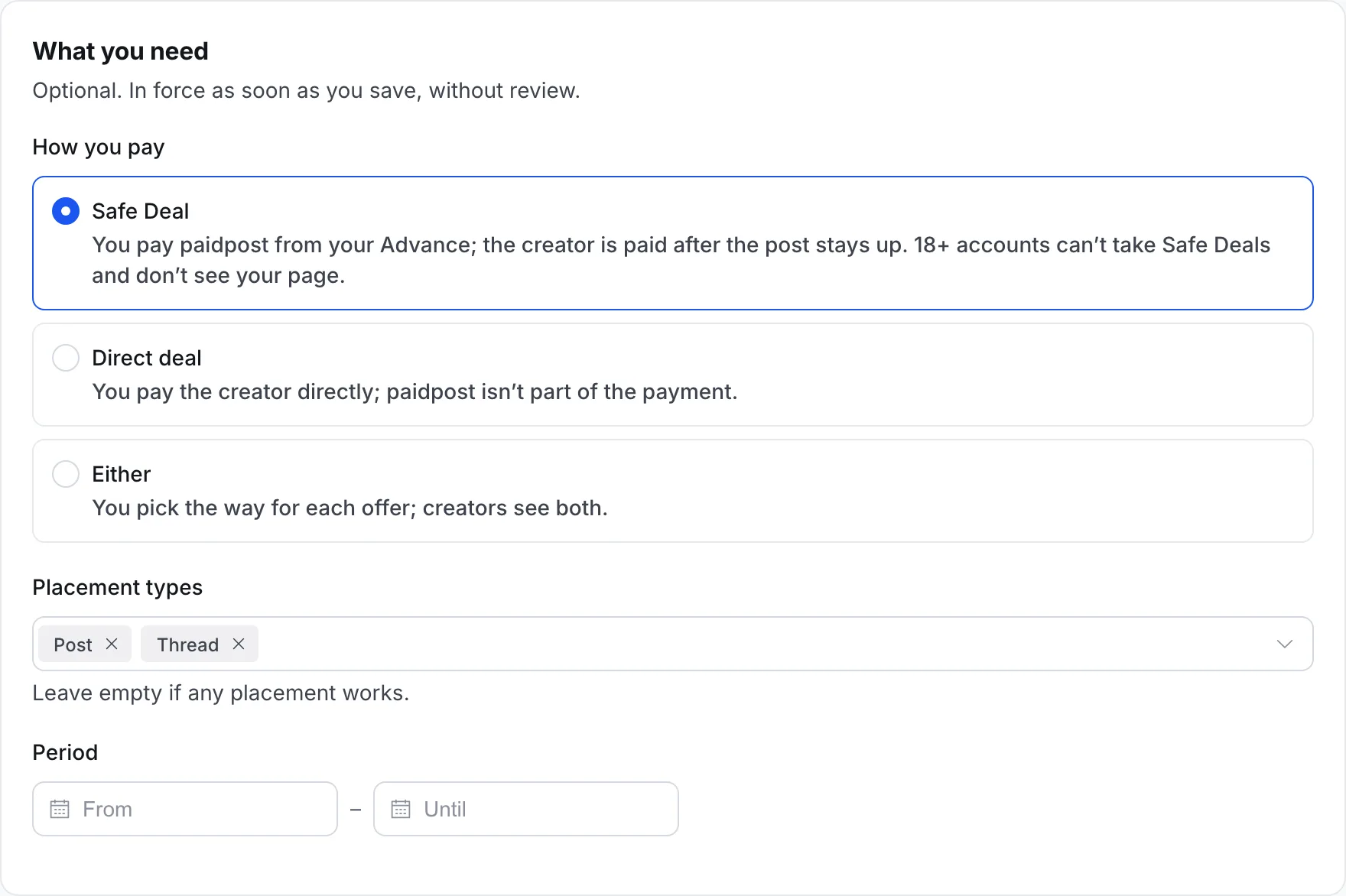
paidpost reviews your page first
Your page appears in Find brands only after paidpost has reviewed it. The status reads In review, then Live — or Needs changes, with a note on what to fix.
Later edits to what creators read — the name, logo, website, X account, description or niches — are reviewed too. Until the review, creators see the previous version and new requests are paused; requests already sent stay open, and you can answer them.
Your requirements, how you pay, placement types, dates and both switches change at once, without a review.
Choose who can send requests
Requirements are the filters you know from Find creators — without the niche: your page has niches of its own.
- Followers — from a minimum.
- Budget per placement — the most you pay for one.
- Audience — country, age and gender.
A creator who doesn’t pass can’t send a request and sees why: “Followers: 8K — needs 20K+”, “Price: $350 — budget up to $200”. If you filter by audience, creators need their audience data from X on their profile to send one.
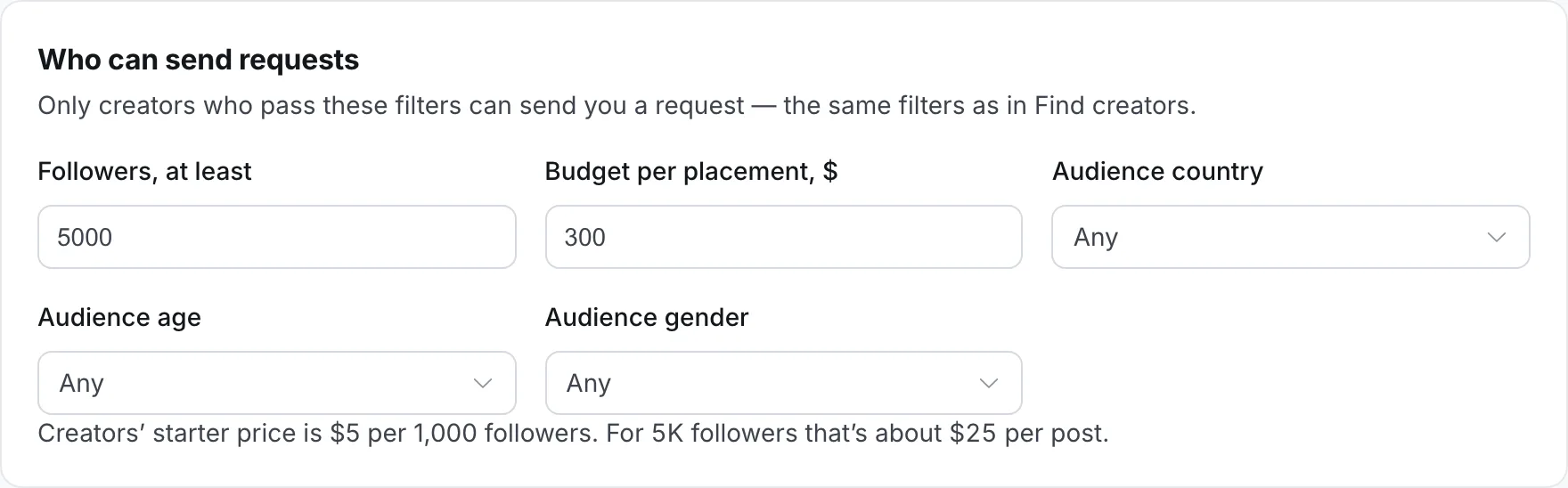
Not sure what budget to set? Our price calculator starts from $5 per 1,000 followers per post — a starting point, not a market average.
Visible and accepting requests
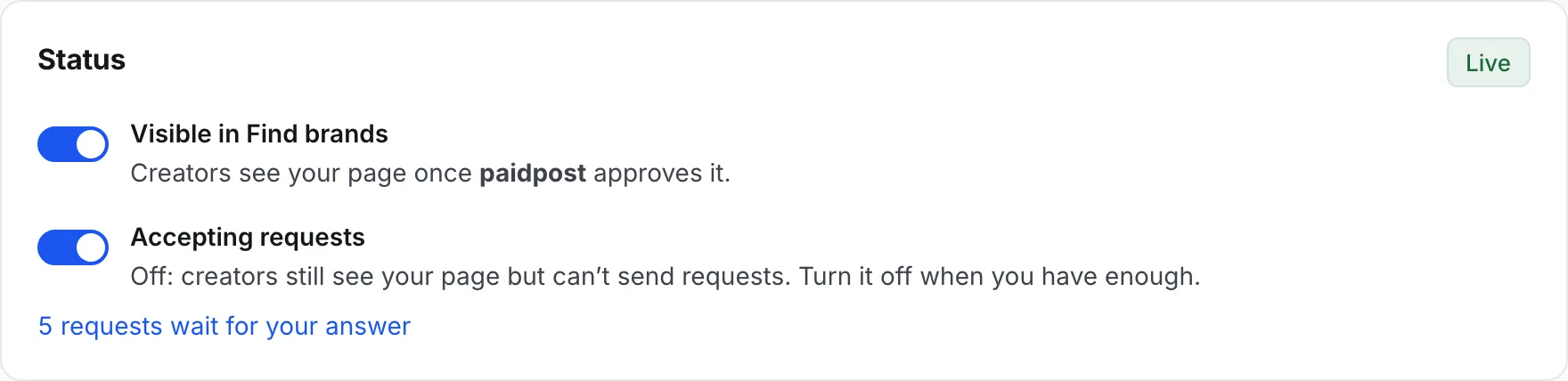
Two switches, saved the moment you flip them. Once your page is live, they sit right in its Status:
- Visible in Find brands — whether creators see your page at all.
- Accepting requests — whether they can send one. A visible page that isn’t accepting shows “Not accepting requests now”.
When you turn a switch off, the requests you already have stay open, and you can still answer them.
What a request looks like
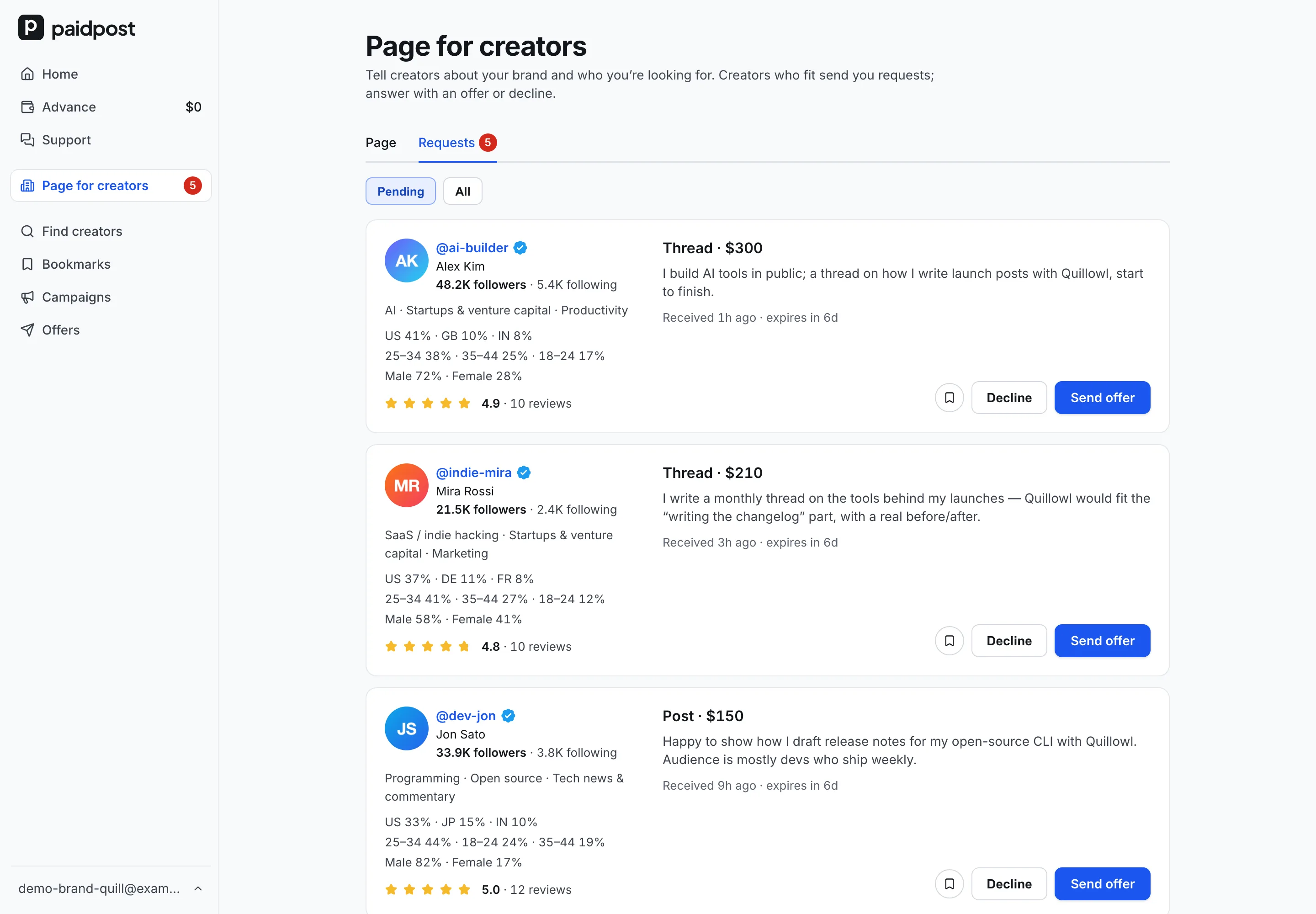
A request isn’t an offer and doesn’t commit you to anything. It has:
- The creator’s X account — their catalog card: followers, niches, audience and rating.
- A placement type — post, thread, pinned post and so on.
- A price — filled in from the creator’s prices; they can change it, but not above your budget.
- A message from the creator.
Requests arrive in Page for creators → Requests — the tab shows how many wait for you — and we email you about new ones: one email for all of them, at most once an hour. Each X account can have one open request to you; a creator with several X accounts can send one from each account that fits.
Answer with an offer, or decline
- Send offer opens the booking page for that creator with their placement type and your way to pay already chosen. It’s an ordinary offer: from here the deal works like any other — a deal step by step. Once it’s sent, or if you close the booking, you’re back on Requests.
- Decline — add a reason if you want to; the creator sees it. After a decline, that X account can’t send you a new request for 30 days.
There’s no chat before the offer. The chat opens in the deal, once you’ve sent one.
Seven days to answer
A request lives for 7 days. If you don’t answer, it expires, and the creator can send a new one right away.
Three requests in a row that expire without any answer stop new requests. Your page stays in Find brands, marked as not accepting requests, we email you, and the requests still open are closed for the creators. You turn requests back on yourself, in Page for creators. Any answer — an offer or a decline — resets the count.
Not interested in a creator?
Mark their X account Not interested — when you decline a request (“Don’t show my page to this creator”), in Find creators next to the bookmark, or on a deal’s page. The account disappears from your Find creators, can’t send you requests and no longer sees your page. The creator isn’t told: an open request from them closes like an ordinary decline.
Changed your mind? Undo it in Bookmarks → Not interested.
Questions
- Can I still book creators myself?
- Yes. Find creators, campaigns and offers work as before; the page only adds a way for creators to come to you.
- Do creators hear about my page?
- Creators can opt in to a weekly email with the brands they fit, and new brands are marked in their menu. Your page gets to them only after the review.
- Can I change my requirements later?
- Any time, and the change applies at once. Offers you’ve already sent aren’t affected.
- Can I have more than one page?
- Not yet: one page per paidpost account.
Let creators come to you
Publish your page for creators, set who can send requests, and answer the ones who fit.
Create your page