For creators
Find brands: send brands a request for a sponsored post
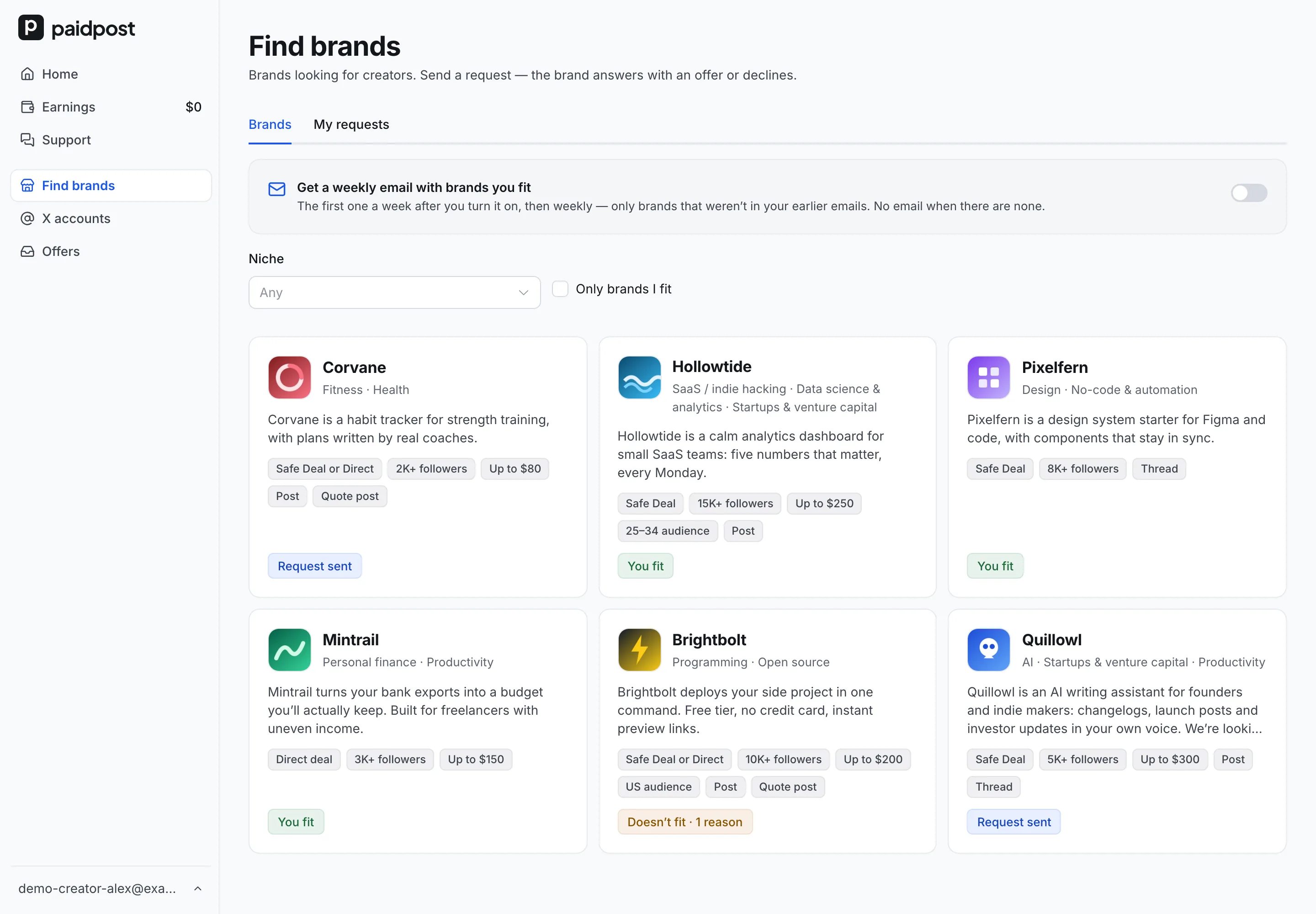
Brands on paidpost don’t only search the catalog — some publish a page and ask creators to come to them. Find brands shows those brands, tells you which ones each of your X accounts fits, and lets you send a request. The brand answers with an offer or declines.
Who can use Find brands
Find brands is open once at least one of your X accounts is listed in the paidpost catalog — it’s in the Creator part of the app’s menu. Only accounts in the catalog can send requests. Here’s how the catalog orders creators.
What you see
Every brand is checked by paidpost before it appears. Brands that accept requests come first. Each card shows the logo, name, niches, a few lines about the brand, how it pays — “Safe Deal”, “Direct deal” or “Safe Deal or Direct” —, its requirements — “20K+ followers”, “Up to $200”, “US audience”, the placement types it wants — and where you stand:
- You fit — you can send a request.
- Doesn’t fit — with the number of reasons.
- Not accepting requests now — the brand isn’t taking requests at the moment.
- Request sent — you’re waiting for an answer.
Filter by niche, or switch on Only brands I fit.
How a brand pays
- Safe Deal — the brand pays paidpost before you post, and you’re paid after the post stays up. You’ll be asked to turn on Safe Deals before you accept, if you haven’t. 18+ accounts can’t take Safe Deals, so brands that pay only this way don’t show up for them.
- Direct deal — the brand pays you directly; paidpost isn’t part of the payment.
- Safe Deal or Direct — the brand picks for each offer.
More on both: Safe Deals and direct deals.
Which brands you fit — and why not
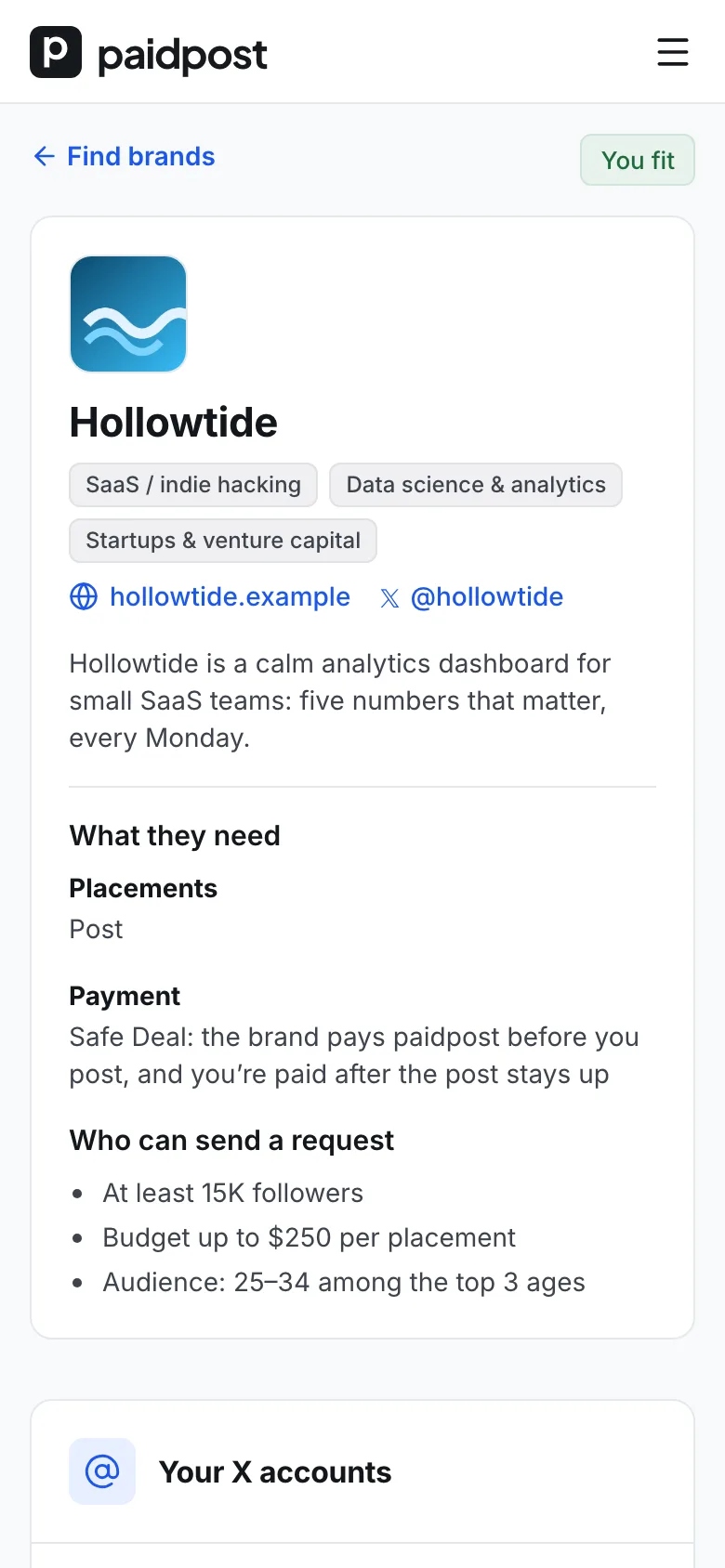
A brand’s page shows what it does, what it needs — placement types, dates and how it pays — and who can send a request. Under that, each of your X accounts gets its own row: either Send request, or the reasons it doesn’t fit:
- “Followers: 8K — needs 20K+”
- “Price: $350 — budget up to $200”
- “Audience: no data — add your audience from X analytics”
The check uses the same rules as the brand’s filters in the catalog: followers, your listed price against the brand’s budget per placement, and your audience’s country, age and gender. Until an account fits, it can’t send a request.
Send a request
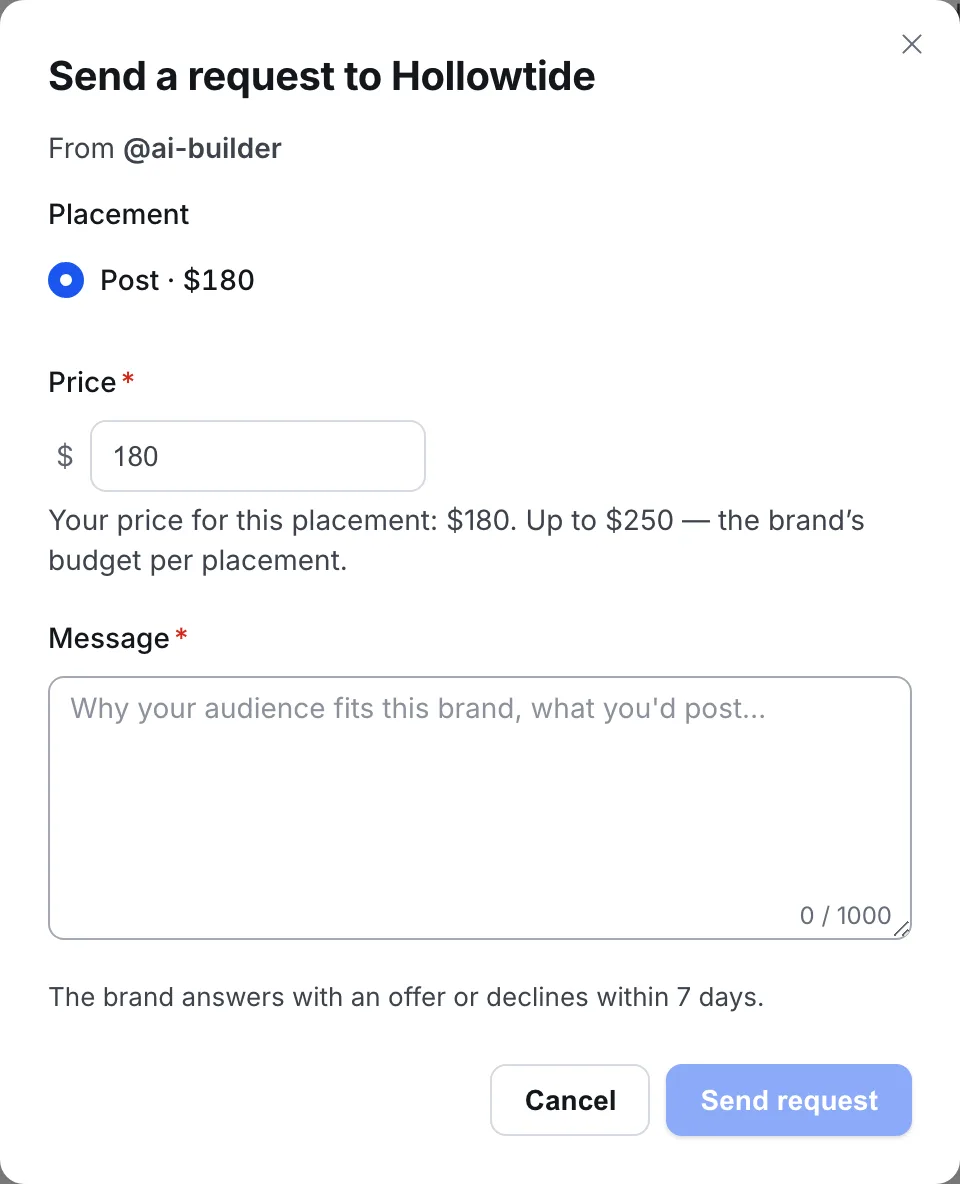
- Pick the X account — if more than one fits.
- Pick a placement type the brand accepts.
- Check the price — it’s filled in from your prices for that type. You can change it, but not above the brand’s budget.
- Write a message — required, up to 1,000 characters.
A request isn’t a deal: no money moves and nobody is committed. Each X account can have one open request to a brand; with several accounts, each one that fits can send its own.
What happens next
The brand has 7 days to answer. Your requests and their status are under Find brands → My requests.
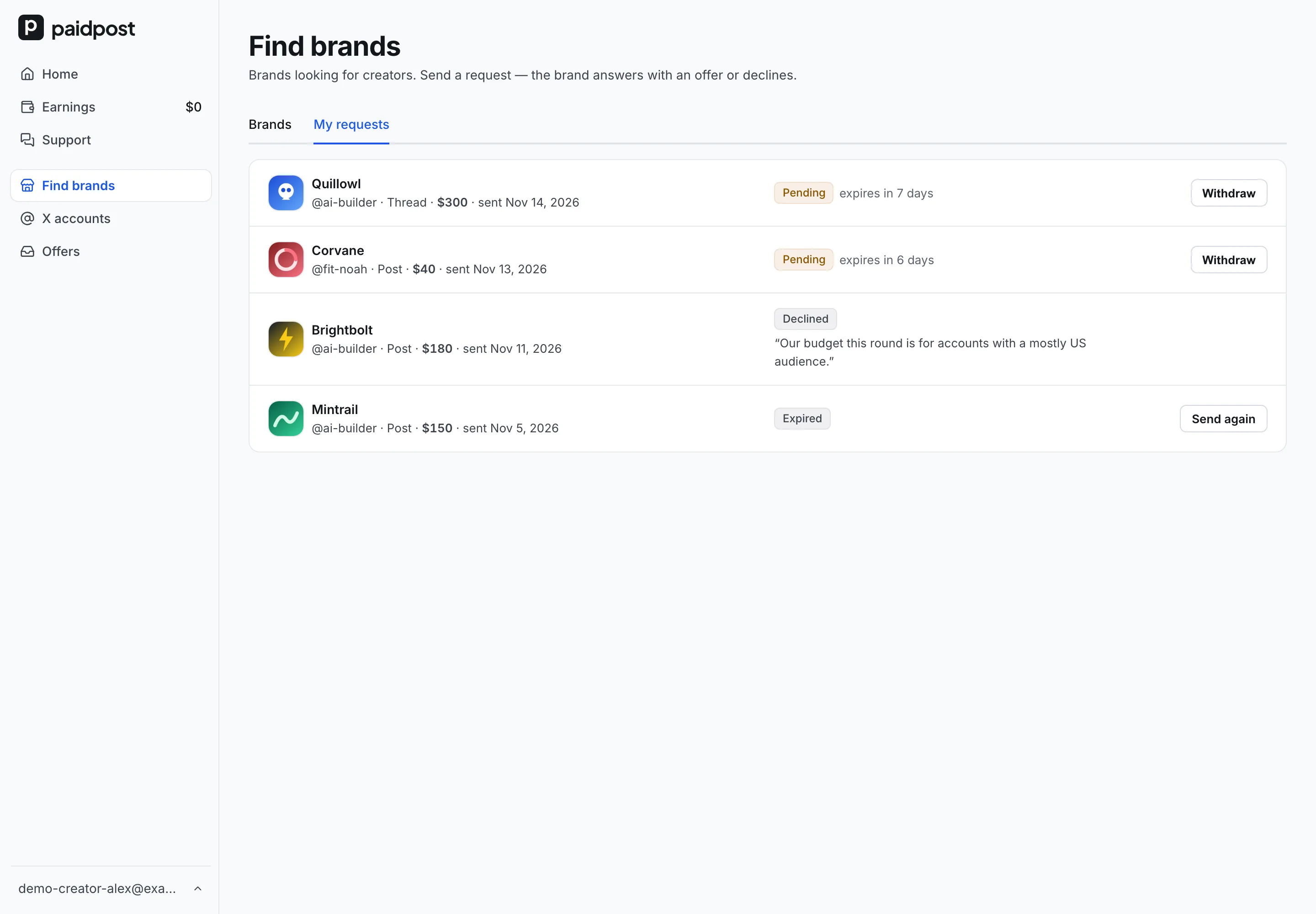
- An offer. You get it like any other offer, by email and in the app. The chat opens in the deal, and from there it works like any other deal — a deal step by step. There’s no chat before the offer.
- A decline. We email you, with the brand’s reason if it gave one. You can’t send that brand a new request right away, and the brand may not appear in your Find brands for a while.
- No answer. After 7 days the request expires and we email you. You can send a new one at once.
Changed your mind? Withdraw a request while it’s waiting. If a brand pauses collaborations, its open requests are closed and you get an email saying so.
A weekly email with brands you fit
Turn on Get a weekly email with brands you fit at the top of Find brands. The first email comes a week after you turn it on, then once a week. It lists only brands you fit that are accepting requests and that weren’t in an earlier email — if there are none, there’s no email. Every email has a one-click unsubscribe link.
New brands you fit are also marked in your menu, next to Find brands.
A request a brand answers
- Say who follows you and why they’d care about this brand — in a sentence or two.
- Pick the type the brand asked for under What they need.
- Keep it short — the brand sees your catalog card next to your message.
Questions
- How many brands can I send requests to?
- There’s no daily limit: send one to every brand you fit, one open request per X account per brand.
- What does the brand see in my request?
- Your catalog card — followers, niches, audience and rating — with the placement type, the price and your message.
- Why did a brand disappear from Find brands?
- A brand can hide its page, and after a decline a brand may not appear for a while. A brand that pauses requests stays in Find brands, marked as not accepting requests.
- Do I still get offers from brands that find me in the catalog?
- Yes. Find brands is an extra way in; brands book you from the catalog and your paidpost page as before.
Find brands that want creators like you
List your X account in the catalog, then open Find brands to see which brands you fit.
Find brands